5 test displays available — no charge
Glance-and-go glucose awareness while you drive
SugarDrive is a small dashboard display showing a Dexcom glucose number and trend arrow in your line of sight — without picking up your phone.
Built for parents driving a child with Type 1, and for Type 1 drivers.
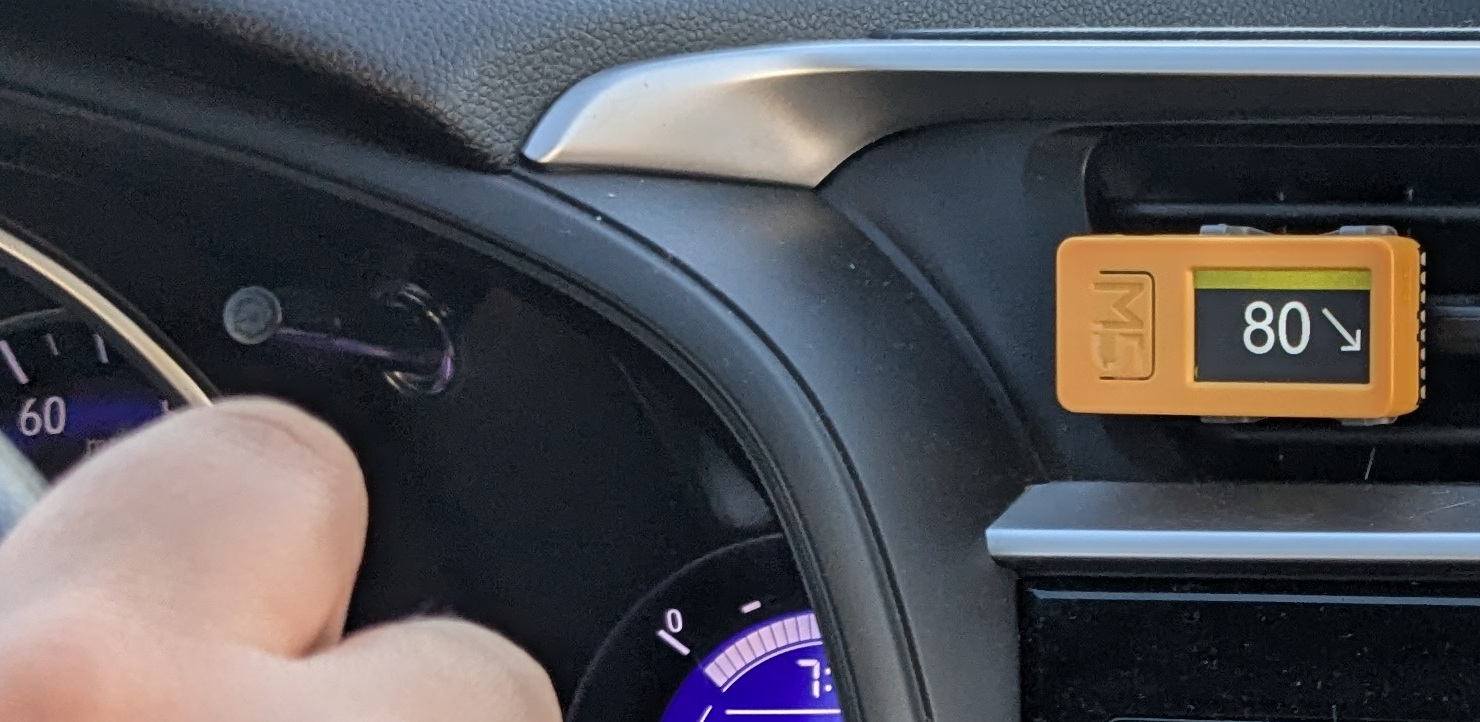
What you get, what we ask
- A SugarDrive display, free, and yours to keep
- These are the last units offered at no charge
- Local to Winona or La Crosse? We’ll hand it to you. Otherwise about $10 shipping
In return we ask that you set up the app, confirm your glucose data is flowing, use the display regularly, and answer a five-minute check-in after your first week, then monthly at most.
Check these before you apply
Most setup problems we’ve hit come down to these four. If any is a no, SugarDrive won’t work for you yet.
- An iPhone. Android isn’t supported yet.
- A Dexcom G6 or G7 on a US account. Libre and other CGMs aren’t supported yet.
- Your Dexcom login works, and Sharing is on with at least one follower. Dexcom only sends live data when someone is following, and SugarDrive signs in with the login for the account the sensor reports to — for a child’s sensor, the child’s login, not yours. What SugarDrive needs from Dexcom covers both checks and takes a couple of minutes.
- You’re willing to install the app through TestFlight. It’s Apple’s own app for trying pre-release apps — nothing exotic.
Ready to take SugarDrive for a test drive?
Let’s see if it works for you.
What happens next
- We review your answers and send you a TestFlight link.
- You install the app and enter your Dexcom login.
- You confirm glucose is showing in the app.
- We arrange pickup, or ship your display.
No display is sent until the app is working. That one step is what keeps setup short for both of us.
More detail if you want it: How SugarDrive works · Dexcom login and Sharing · Setup instructions · Contact