SugarDrive needs two separate things from Dexcom, and both have to be true. First, the username and password for the account the sensor reports to — for a child’s sensor, that is the child’s Dexcom login, not yours. You can confirm the login at your Dexcom user management page, uam1.dexcom.com. Second, Sharing has to be on with at least one follower, because Dexcom will not release live data unless someone is following. Logging in at uam1.dexcom.com confirms the login only — it does not tell you whether Sharing is set up, so check both.
This username and password is also used for Dexcom’s clarity statistics and analysis page clarity.dexcom.com. Select ‘Dexcom Clarity for Home Users’ to see statistics and analysis for your blood sugar data.
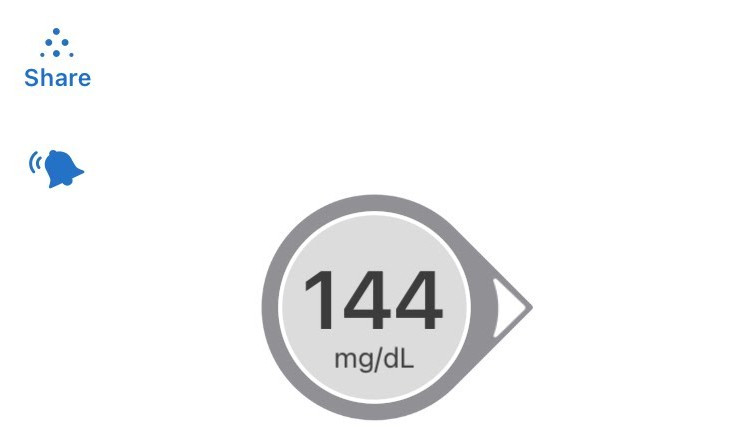
If you need to add a follower select ‘Share’ in the upper left corner of the Dexcom app.
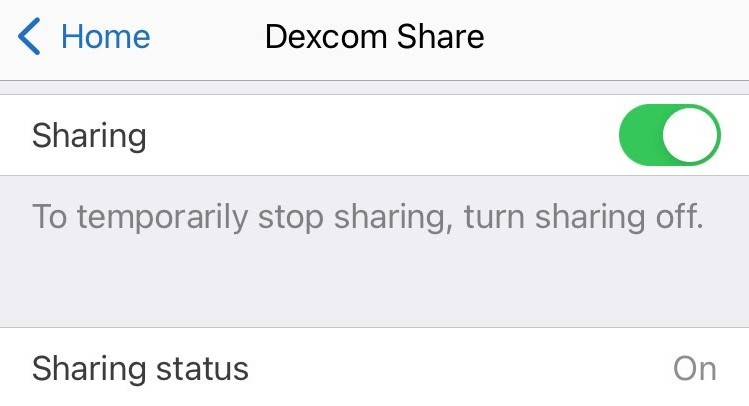
Turn on Sharing.
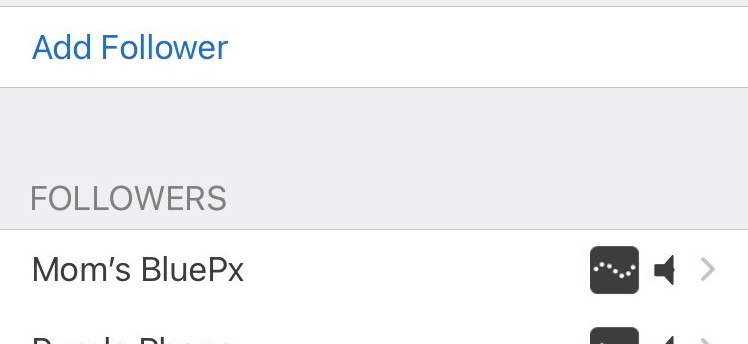
Select ‘Add Follower’.
Enter follower’s name and email.
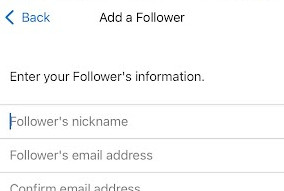
Dexcom will then send an email to the follower’s email address with instructions on how to install Dexcom Follow and accept the invitation to follow. This email should be viewed on the follower’s phone for the app installation and invitation acceptance links to work.